
Top Remote Work Tools Examples for Startups in 2026
Building a successful startup has always been a monumental challenge, but doing it with a fully distributed team requires an entirely different playbook. As we navigate through 2026, the era of treating remote work as a temporary fix is long gone. Today, remote-first is the default architecture for hyper-growth startups. However, the success of this model relies heavily on the technological foundation you build. If you are looking for the best remote work tools examples to upgrade your startup’s stack, you have come to the right place.
The landscape of remote infrastructure has matured dramatically. We have moved past basic video conferencing and simple task boards. The software suite of 2026 is deeply integrated, heavily powered by artificial intelligence, and designed to foster asynchronous productivity while maintaining a strong, unified team culture. In this comprehensive guide, we will explore the essential categories of distributed software, providing actionable insights, pros and cons, and real-world remote work tools examples that your startup can implement immediately to drive efficiency and team well-being.
Table of Contents
- The Evolution of Distributed Workspaces in 2026
- Real-Time Communication and Spatial Meetings
- Asynchronous Collaboration and Project Management
- Global HR and Financial Infrastructure
- Cloud Security and Zero-Trust Access
- Focus Management and Productivity Tracking
- Virtual Culture and Team Bonding Platforms
- Building Your Ultimate 2026 Tech Stack
- Conclusion
The Evolution of Distributed Workspaces in 2026
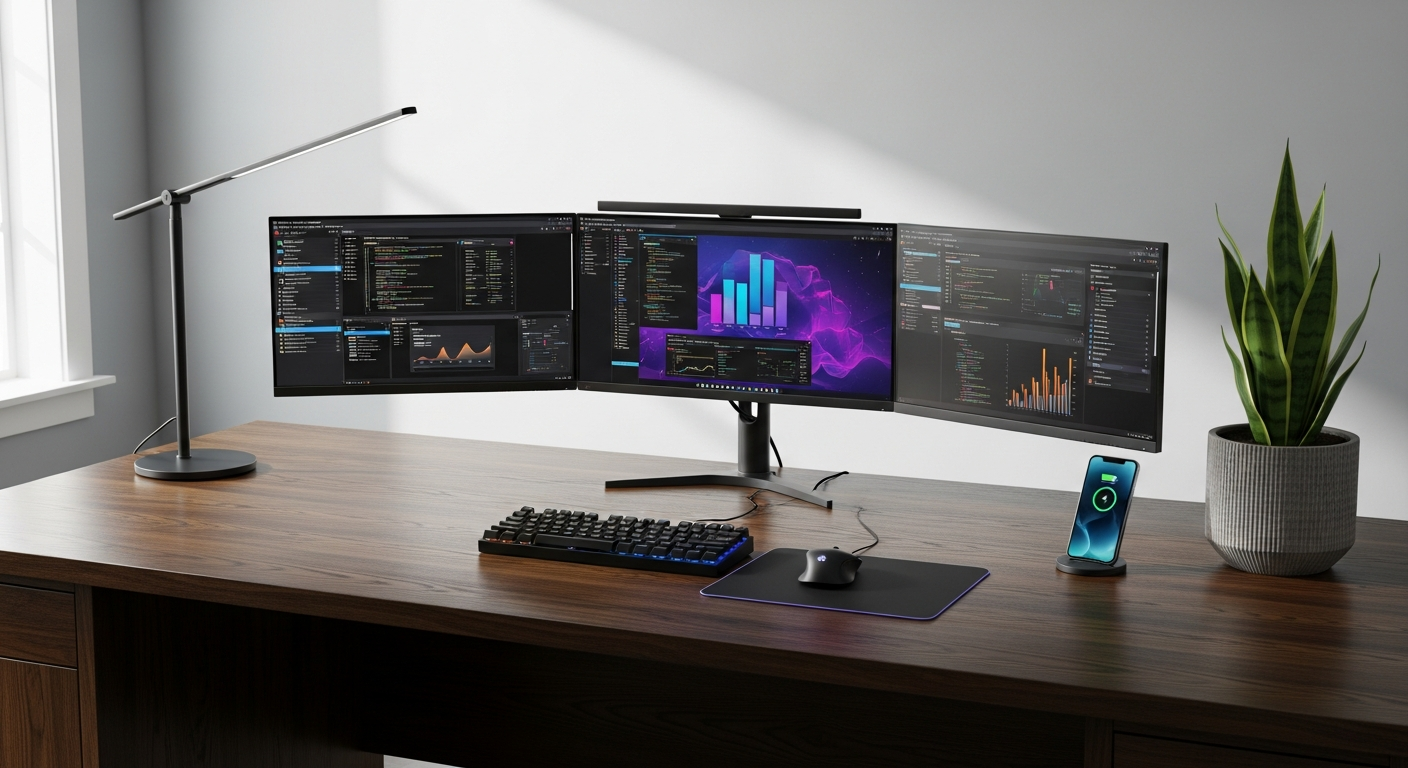
Before diving into specific platforms, it is crucial to understand how the technological expectations for startups have shifted. In the early days of widespread distributed work, the goal was simply to replicate the physical office in a digital space. This led to “Zoom fatigue,” endless notification pings, and a severe blending of work and personal life. In 2026, the paradigm has shifted from synchronous replication to asynchronous optimization.
Modern remote teams operate across multiple time zones, making the traditional 9-to-5 synchronous workday obsolete. Tools have adapted to this reality. Artificial intelligence is no longer just a buzzword; it is natively embedded into our daily workflows. AI agents now summarize meetings we didn’t attend, automatically prioritize our task lists based on impending deadlines, and even draft initial responses to routine internal queries. Furthermore, the rise of spatial computing has introduced mixed-reality environments where remote teams can collaborate on 3D models or engage in virtual whiteboarding sessions that feel tangibly real.
For startup founders, selecting the right software stack is a critical strategic decision. The wrong tools create data silos and communication bottlenecks, while the right tools act as a multiplier for your team’s output. Throughout this article, we will examine various software categories and provide concrete remote work tools examples that represent the pinnacle of 2026 workplace technology.
Real-Time Communication and Spatial Meetings

While asynchronous work is the gold standard for deep focus, synchronous communication remains vital for brainstorming, complex problem-solving, and relationship building. The key in 2026 is high-fidelity, low-friction communication that bridges the physical gap between team members.
Advanced Video and Spatial Conferencing
Traditional video calls have evolved. Platforms now utilize advanced neural networks to eliminate background noise, auto-frame participants, and translate spoken language in real-time with near-perfect accuracy. Furthermore, spatial audio allows you to hear colleagues exactly where they appear on your screen, reducing cognitive load.
- Zoom Workplace 3.0: Moving beyond simple grids, the latest iteration of Zoom includes immersive AI-generated backgrounds that blend team members into a single cohesive virtual room. Its built-in AI companion drafts meeting summaries and action items before the call even ends.
- Microsoft Mesh: For startups utilizing mixed reality, Microsoft Mesh allows teams to meet in customizable 3D environments using spatial headsets or standard 2D screens. It is highly effective for hardware startups needing to review 3D prototypes.
- Slack Huddles (Enhanced): Slack remains a powerhouse. Huddles have evolved to include multi-cursor screen sharing, allowing multiple developers to write code or design interfaces simultaneously on a shared virtual canvas.
🛒 professional noise cancelling wireless headset with microphone
View on Amazon →
As an Amazon Associate, we earn from qualifying purchases.
Pros and Cons of Synchronous Platforms
- ✅ Pro: Instant alignment on complex, nuanced issues that would take hours to resolve via text.
- ✅ Pro: Fosters genuine human connection and team empathy, crucial for early-stage startup culture.
- ❌ Con: Can severely disrupt deep work if not scheduled carefully (the “always-on” trap).
- ❌ Con: Synchronous dependency alienates team members in opposing time zones.
Asynchronous Collaboration and Project Management

The engine of any distributed startup is its asynchronous project management system. This is where the actual work happens. When evaluating remote work tools examples in this category, founders must look for platforms that offer extreme clarity, intuitive UI, and robust automation.
Dynamic Task Tracking
The days of manual drag-and-drop Kanban boards are fading. Today’s project management tools are dynamic. They automatically reassign tasks based on team capacity, adjust project timelines when a dependency is delayed, and flag potential bottlenecks to managers before they become critical issues.
- Linear: Linear has become the absolute standard for engineering and product teams in 2026. Its keyboard-first design makes it incredibly fast. It integrates deeply with GitHub and GitLab, automatically updating issue statuses based on pull request activity. The 2026 AI integration auto-labels issues and suggests the best developer for the task based on their past commit history.
- Notion: Notion has transitioned from a simple document wiki to a comprehensive operating system. Notion AI can now generate entire project roadmaps, instantly draft product requirements documents (PRDs), and automatically sync databases across different departmental workspaces.
- Asana Intelligence: Asana excels in cross-functional collaboration, particularly for marketing and operations teams. Its latest intelligence features automatically generate status reports by pulling data from completed tasks, saving project managers hours of manual data compilation each week.
Comparison of Top Project Management Tools (2026)
| Platform | Best For | Key 2026 Feature | Learning Curve |
|---|---|---|---|
| Linear | Product & Engineering | Predictive AI task assignment | Steep initially, incredibly fast later |
| Notion | Company Wikis & Docs | Auto-generating PRDs via AI | Moderate |
| Asana | Marketing & Ops | Automated executive status reporting | Low |
Video Messaging for Async Work
Sometimes, text is simply not enough to convey tone or demonstrate a complex workflow. This is where asynchronous video shines. Tools like Loom and Descript are indispensable. Loom’s 2026 features allow you to record your screen while its AI instantly removes filler words, adds chapter markers, and generates a written step-by-step guide based on your video demonstration. This is an incredibly powerful way to onboard new remote employees without scheduling hours of live training.
Global HR and Financial Infrastructure

Hiring the best talent in the world means dealing with the complexities of global compliance, local tax laws, and international payroll. Ten years ago, hiring an engineer in Estonia while operating in California required an army of lawyers. In 2026, specialized platforms handle this instantly.
Employer of Record (EOR) Platforms
EOR platforms allow startups to legally hire full-time employees in almost any country without setting up a local legal entity. They handle payroll, benefits, taxes, and compliance.
- Deel: Deel remains the juggernaut in the global hiring space. Their 2026 platform not only runs international payroll in cryptocurrency and fiat, but it also provides AI-driven salary insights, ensuring your startup offers competitive compensation based on real-time local market data.
- Rippling: Rippling is a marvel of automation. It ties HR, IT, and Finance together. When you hire a new remote employee, Rippling automatically adds them to the payroll, provisions their corporate email, sets up their Slack groups, and ships them a pre-configured laptop—all in one click.
Pros and Cons of Global HR Platforms
- ✅ Pro: Unlocks a truly global talent pool without the legal headache.
- ✅ Pro: Centralizes hardware provisioning and software access (IT & HR in one).
- ❌ Con: EOR fees can add up quickly as your headcount scales.
- ❌ Con: Navigating culturally specific benefits and holidays still requires human touch and empathy beyond the software.
Cloud Security and Zero-Trust Access

With a fully distributed workforce accessing company data from home Wi-Fi networks and co-working spaces across the globe, perimeter-based security (like traditional VPNs) is highly vulnerable. In 2026, startups operate on a “Zero Trust” architecture. This means no user or device is trusted by default, regardless of their location.
Identity and Access Management (IAM)
Startups must ensure that only verified employees can access specific internal tools. The modern approach relies on continuous authentication, analyzing user behavior, device health, and location context to grant access dynamically.
- Okta: Okta provides a unified single sign-on (SSO) experience. Their adaptive multi-factor authentication (MFA) goes beyond simple SMS codes, utilizing biometric verifications and contextual access policies. If an employee logs in from London and then attempts a login from Tokyo an hour later, Okta’s AI automatically freezes the session.
- Cloudflare Zero Trust: Cloudflare has replaced the corporate VPN. It creates secure, micro-segmented tunnels between your remote workers and your internal applications. It ensures that even if a developer’s laptop is compromised, the attacker cannot pivot to the rest of the company’s network.
- 1Password Enterprise: Despite the rise of SSO, teams still share API keys, social media logins, and administrative credentials. 1Password’s enterprise tier features seamless provisioning, automated credential rotation, and hidden passwords (employees can log in without ever actually seeing the password text).
Security Implementation Comparison
| Security Category | Leading Tool | Why Startups Need It |
|---|---|---|
| Single Sign-On (SSO) | Okta | Reduces password fatigue; 1-click offboarding. |
| Zero Trust Network | Cloudflare | Secures internal apps without clunky VPNs. |
| Secret Management | 1Password | Safely shares API keys and shared logins across the team. |
Focus Management and Productivity Tracking

One of the darkest eras of remote work involved the use of invasive “bossware”—tools that tracked mouse movements or took random screenshots of employees. Fortunately, the industry has universally rejected this practice. In 2026, the focus has entirely shifted from tracking activity to facilitating deep work and tracking outcomes.
Startup founders understand that knowledge workers need uninterrupted blocks of time to solve complex problems. When looking for remote work tools examples in the productivity space, the emphasis is on calendar management and focus protection.
AI Calendar and Time Blocking Apps
The modern calendar is an active participant in your day, not a passive grid. It defends your time, reschedules meetings to create continuous blocks for focused work, and alerts you when you are at risk of burnout.
- Motion: Motion uses an AI algorithm to automatically build your daily schedule. You input your tasks, priorities, and deadlines, and Motion places them into your calendar around your existing meetings. If a meeting runs long or an urgent task is added, it instantly reshuffles your entire week to optimize delivery.
- Sunsama: Sunsama is built around intentionality and mental health. It forces users to plan their day mindfully, pulls tasks from Jira, GitHub, or Slack, and heavily encourages users to set a definitive “shut down” time to prevent overworking.
- Forest (Enterprise Edition): Gamification remains an effective productivity hack. The team edition of Forest allows remote startup squads to plant virtual trees together during designated “deep work sprints.” If anyone picks up their phone or navigates to distracting sites, the team’s tree dies. It fosters collaborative focus without surveillance.
🛒 ergonomic standing desk converter dual monitor
View on Amazon →
As an Amazon Associate, we earn from qualifying purchases.
Pros and Cons of Focus Tools
- ✅ Pro: Eliminates decision fatigue by telling employees exactly what to work on next.
- ✅ Pro: Protects mental health by preventing endless meeting fragmentation.
- ❌ Con: Highly algorithmic calendars can feel rigid if an employee prefers chaotic, inspiration-driven work styles.
- ❌ Con: Requires strict discipline; if users don’t mark tasks as complete, the AI predictions fall apart.
Virtual Culture and Team Bonding Platforms

One of the most persistent myths about distributed companies is that they lack “culture.” The reality is that remote culture simply requires intentionality. You cannot rely on serendipitous water-cooler chats. Culture must be built into the operational cadence of the company using specific, dedicated platforms.
Building Connection Across Continents
In 2026, team bonding tools are highly sophisticated, creating environments where introverts and extroverts alike can engage comfortably.
- Gather.town: Gather blends video calling with a 2D RPG-style interface. Startups can build custom virtual offices. As your avatar walks closer to a colleague’s avatar, your video and audio fade in. It allows for natural, impromptu conversations without scheduling a rigid Zoom link.
- Donut: Operating natively within Slack, Donut automatically pairs team members who rarely interact for virtual coffee chats, peer mentorship sessions, or code reviews. In 2026, Donut includes AI-driven icebreakers tailored to the mutual interests of the paired employees, pulled from their internal profiles.
- Kudos Systems (Bonusly / HeyTaco): Peer-to-peer recognition is vital. These tools allow employees to send micro-bonuses or virtual tacos to colleagues who helped them out. These points can be redeemed for gift cards or charity donations, creating a continuous loop of positive reinforcement and gratitude.
Building Your Ultimate 2026 Tech Stack

Now that we have explored numerous remote work tools examples across various critical categories, the challenge lies in assembly. Tool fatigue is a massive risk. If an employee has to check Slack, email, Asana, Notion, and Jira just to figure out what they need to do for the day, your stack is broken.
Strategies for Tool Consolidation
When selecting your startup’s software suite, adhere to the principle of “fewer, but deeper.” Instead of buying ten single-purpose applications, invest in platforms that offer robust APIs and deep integrations. For example, if you use Linear for issue tracking, it must sync flawlessly with Slack (for notifications) and Notion (for documentation).
Furthermore, establish clear “Rules of Engagement” (RoE) for your startup. A simple document outlining which tool is used for what purpose eliminates confusion. For instance:
- Slack: Urgent updates, casual banter, quick clarifications. Expected response time: 2-4 hours.
- Linear: Project updates, task hand-offs, bug reports. Expected response time: 24 hours.
- Notion: Long-term documentation, PRDs, company handbooks. (No direct messaging).
- Zoom/Meet: High-stakes discussions, 1-on-1s, weekly all-hands.
🛒 ultra wide curved 4k monitor for productivity
View on Amazon →
As an Amazon Associate, we earn from qualifying purchases.
By defining these parameters, you empower your team to turn off notifications confidently, knowing exactly where to look for critical information and when it is safe to disconnect. Regularly audit your tech stack quarterly. Ask your team via anonymous surveys which tools are causing friction and which are actually accelerating their work. Be ruthless in cutting software that bloats your processes.
Conclusion
Operating a remote startup in 2026 offers an unparalleled advantage: access to a global talent pool unbound by geography. However, to harness this potential, founders must architect a digital workspace that promotes deep focus, robust security, and seamless collaboration. By implementing the carefully selected remote work tools examples outlined in this guide—from predictive task managers like Linear to zero-trust networks like Cloudflare—you can build an infrastructure that scales beautifully.
Remember that tools are just the scaffolding; the true foundation of your startup is trust, clear communication, and a shared vision. Equip your team with the best technology 2026 has to offer, set clear operational boundaries, and watch your distributed startup thrive in the global market.