
How to Use ChatGPT for Free: 2024 Guide
Artificial intelligence has revolutionized the way we work, write, and solve problems. At the forefront of this digital renaissance is OpenAI’s ChatGPT. Whether you are a student looking to streamline your research, a professional aiming to accelerate your workflow, or simply a curious tech enthusiast, you might be wondering about the costs involved. The good news is that you don’t need to break the bank to access world-class AI. If you are wondering how to use chatgpt for free, you are in exactly the right place.
In this comprehensive, in-depth guide, we will walk you through the various official and alternative methods to access ChatGPT without paying a subscription fee. We will also dive deep into advanced prompt engineering strategies, compare the free version with paid alternatives, and explore real-world use cases that will transform your daily productivity. Grab a cup of coffee, and let’s unlock the full potential of free AI.
Table of Contents
- 1. Getting Started: The Official OpenAI Platform
- 2. Alternative Platforms Offering Free ChatGPT Access
- 3. Maximizing the Free Version: Prompt Engineering Tips
- 4. Pros and Cons: Free ChatGPT vs. Paid Alternatives
- 5. Real-World Use Cases for the Free Version
- 6. Common Troubleshooting and FAQs
- 7. Conclusion
Getting Started: The Official OpenAI Platform
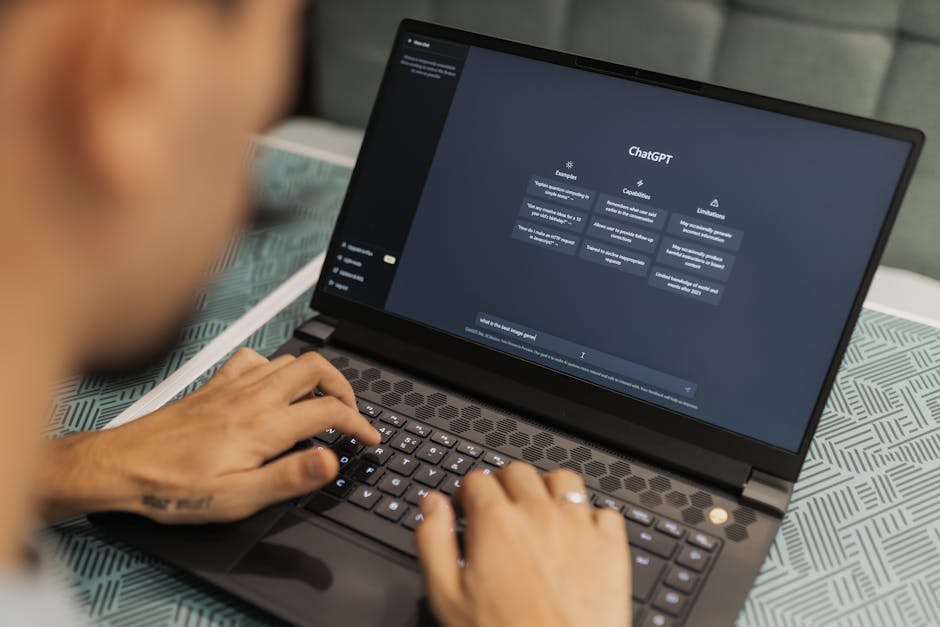
The most direct and reliable way to experience ChatGPT is through OpenAI’s official website. Since its public launch in late 2022, OpenAI has maintained a robust free tier designed to let users explore the capabilities of their generative language models. Currently, the free tier provides access to a combination of GPT-3.5 and limited access to their newer, highly advanced flagship model, GPT-4o.
Step-by-Step Account Creation
Setting up your free account takes less than two minutes. Follow these simple steps:
- Visit the Website: Navigate to chat.openai.com on your web browser.
- Sign Up: Click on the “Sign Up” button. You can create an account using an email address, or you can expedite the process by linking your existing Google, Microsoft, or Apple account.
- Verify Your Identity: Depending on your region, OpenAI may require phone number verification to prevent spam and bot accounts. Enter the verification code sent to your mobile device.
- Start Chatting: Once verified, you will be greeted by a clean, user-friendly chat interface. Simply type your question into the message box at the bottom and hit enter!
Understanding the Free Tier Capabilities
When you use the official free version, you are tapping into one of the most sophisticated neural networks ever created. The free tier allows you to generate text, brainstorm ideas, write code, and even analyze simple images. However, it’s important to understand the dynamic rate limits. During periods of extremely high global traffic, free users might experience slightly slower response times, or their access to the heavy-duty GPT-4o model might be temporarily reverted to the lighter, faster GPT-3.5 model until capacity frees up.
To truly take advantage of typing out complex prompts and interacting seamlessly with the AI, having a comfortable setup is crucial. If you spend hours chatting with AI, drafting emails, or writing code snippets, your hardware matters just as much as your software.
🛒 ergonomic mechanical keyboard for fast typing
View on Amazon →
As an Amazon Associate, we earn from qualifying purchases.
Alternative Platforms Offering Free ChatGPT Access

While the official OpenAI site is fantastic, it is not the only way to access the underlying GPT technology. Several major tech companies and startups have integrated OpenAI’s API into their own platforms, often providing unrestricted access to GPT-4—a model that usually costs $20/month on OpenAI’s official Plus tier. Understanding how to use chatgpt for free across different ecosystems can dramatically enhance your AI toolkit.
Microsoft Copilot (Formerly Bing Chat)
Microsoft is the largest investor in OpenAI, which means their AI assistant, Microsoft Copilot, is powered by the latest GPT-4 and GPT-4 Turbo models. The best part? It is completely free to use.
- Web Search Integration: Unlike the standard ChatGPT model which relies on its training data (though it can search the web now), Copilot is deeply integrated with the Bing search engine. This makes it exceptionally good for citing real-time news, current events, and live data.
- Image Generation: Copilot includes free access to DALL-E 3, OpenAI’s image generation model. You can ask Copilot to draw virtually anything, and it will generate high-quality images directly in the chat.
- Access: You can access it via copilot.microsoft.com, the Microsoft Edge sidebar, or the dedicated Copilot app on iOS and Android.
Poe by Quora
Poe (Platform for Open Exploration) is a versatile AI aggregator created by Quora. It acts as a unified hub where you can chat with multiple AI models from different companies, including OpenAI.
- Model Variety: On Poe, you can chat with standard ChatGPT (GPT-3.5) for free, and you also get a daily allowance of messages for more advanced models like GPT-4, Anthropic’s Claude, and Google’s Gemini.
- Custom Bots: You can create custom prompt bots or use bots created by the community for specific tasks like language translation, coding, or creative writing.
DuckDuckGo AI Chat & Perplexity AI
Other privacy-focused and research-focused alternatives exist. DuckDuckGo recently launched an anonymous AI chat feature that lets you use GPT-3.5 without logging in. Meanwhile, Perplexity AI uses a blend of language models (including OpenAI’s technology) to function as a powerful, citation-heavy AI search engine. Perplexity is brilliant for academic research and deep-dive learning.
| Platform | Underlying Model | Web Access? | Best Feature |
|---|---|---|---|
| OpenAI (Official) | GPT-3.5 / GPT-4o (Limited) | Yes | Clean UI, Custom Instructions |
| Microsoft Copilot | GPT-4 / GPT-4 Turbo | Yes (Bing) | Free DALL-E 3 Image Generation |
| Poe | Multiple (including GPT) | No | Access to multiple AI brands |
| Perplexity AI | Custom/GPT mix | Yes | Live citations and research |
Maximizing the Free Version: Prompt Engineering Tips

Accessing the tool is only half the battle. To truly master how to use chatgpt for free effectively, you need to understand the art of prompt engineering. A prompt is simply the instruction or question you type into the chatbox. The quality of the AI’s response is directly proportional to the clarity and detail of your prompt. Garbage in, garbage out.
The CREATE Framework for Prompting
To get the best possible results without needing to pay for a premium subscription, use the CREATE framework:
- Context: Give the AI a role. Instead of saying “Write a blog post,” say, “Act as an expert SEO copywriter with 10 years of experience in the tech industry.”
- Request: Clearly state exactly what you want it to do. “Write a 500-word introduction about artificial intelligence.”
- Explanation: Provide background information. “This is for a beginner audience who has never used AI before.”
- Actionable rules: Set constraints. “Do not use jargon. Use short paragraphs. Include bullet points.”
- Tone: Dictate the emotional resonance. “Keep the tone professional, encouraging, and approachable.”
- Extras: Ask for specific formats like tables, markdown, or code blocks.
Chaining Prompts for Complex Tasks
One common mistake free users make is asking the AI to do too much in a single prompt. If you want ChatGPT to write an entire eBook, asking it to “Write an eBook about dog training” will result in a generic, short, and repetitive text. Instead, use prompt chaining. First, ask the AI to generate a table of contents. Review it, tweak it, and then ask it to write Chapter 1. Then Chapter 2. Breaking tasks down keeps the AI focused and prevents it from hitting output token limits.
For power users who are utilizing prompt chaining to write long-form content, analyze spreadsheets, or debug complex code sequences, screen real estate is incredibly important. Having your research on one side of the screen and ChatGPT on the other drastically improves efficiency.
🛒 32 inch 4k curved computer monitor
View on Amazon →
As an Amazon Associate, we earn from qualifying purchases.
Utilizing Custom Instructions
Even on the free tier, OpenAI offers a feature called “Custom Instructions.” Found in the settings menu, this allows you to give ChatGPT permanent background context about who you are and how you like it to respond. For example, you can tell it: “I am a high school science teacher. Whenever I ask you to explain a concept, explain it in a way that 9th graders would understand, and always provide a real-world analogy.” This saves you from having to type out your preferences in every single prompt.
Pros and Cons: Free ChatGPT vs. Paid Alternatives

While exploring how to use chatgpt for free, it is natural to wonder what you are missing out on by not upgrading to ChatGPT Plus ($20/month). The free version is incredibly powerful, but it does have structural limitations designed to encourage heavy users to upgrade.
The Advantages of the Free Tier
✅ Zero Financial Risk: You get access to world-changing technology without spending a single penny.
✅ Everyday Competence: For 95% of everyday tasks—like drafting emails, brainstorming dinner recipes, rewriting paragraphs, or explaining complex concepts—the free version is more than capable.
✅ No Credit Card Required: Unlike many free trials that automatically charge you after 7 days, OpenAI’s free tier is permanently free with no payment info required.
✅ Cross-Platform Syncing: Your chat history syncs seamlessly between your web browser and the official iOS/Android mobile apps.
The Drawbacks of the Free Tier
❌ Usage Caps on Premium Models: While you get access to the blazing-fast GPT-4o model, you have strict message limits. Once you hit the cap, you are downgraded to a less capable model for several hours.
❌ No Advanced Voice Mode (Currently): Plus users get access to highly emotive, real-time voice conversations, while free users have access to standard voice-to-text features.
❌ Lower Priority During Peak Times: If the servers are experiencing massive global traffic, free users may face slower generation speeds or temporary lockouts.
❌ Limited Data Analysis: While free users can upload files and use the data analysis tool, the file size limits and processing power are restricted compared to Plus.
| Feature | Free Tier | Plus Tier ($20/mo) |
|---|---|---|
| Core Text Generation | ✅ | ✅ |
| Access to GPT-4o | Limited | Unlimited (up to 80 msgs/3hrs) |
| Custom GPTs (Create your own) | ❌ | ✅ |
| DALL-E 3 Image Generation | ❌ (Use Copilot instead) | ✅ |
Real-World Use Cases for the Free Version
To truly appreciate the value of this free technology, let’s look at some practical, everyday applications that can save you hours of time and drastically improve your productivity.
1. The Ultimate Writing Assistant
Whether you are crafting a cover letter, writing a tricky email to your boss, or developing a blog post, ChatGPT is an unparalleled writing assistant. You can paste in a rough draft of your writing and ask the AI to “Make this sound more professional,” “Fix any grammatical errors,” or “Condense this into three bullet points.” It acts as a free, instantaneous editor.
2. Language Learning and Translation
Forget expensive language tutoring apps. You can use the free version of ChatGPT as an interactive language partner. You can instruct it: “I am learning Spanish. Let’s have a basic conversation about ordering food in a restaurant. Correct my grammar mistakes after every reply.” This interactive, conversational practice is incredibly effective for language acquisition.
3. Coding and Debugging
Developers were among the first to realize the massive potential of ChatGPT. The free tier is fully capable of writing scripts in Python, HTML, JavaScript, C++, and more. If you have a piece of code that keeps throwing an error, simply paste the code and the error message into the chat and ask, “Why is this code failing?” The AI will not only fix the code but explain the logic behind the correction.
To get into a state of deep focus while coding or studying with AI, minimizing background distractions is essential. A good auditory environment helps you maintain the concentration needed to work through complex problem-solving sessions.
🛒 noise cancelling headphones for deep work
View on Amazon →
As an Amazon Associate, we earn from qualifying purchases.
4. Meal Planning and Fitness Coaching
You can use ChatGPT as your personal nutritionist and trainer. Provide it with a list of ingredients currently sitting in your fridge, and ask it to generate three healthy dinner recipes. You can also provide your age, weight, and fitness goals, and ask it to generate a customized 4-day-a-week workout split tailored to the equipment you have available at home.
Common Troubleshooting and FAQs
Even though the platform is user-friendly, you might encounter a few hiccups along the way. Here are solutions to the most common issues free users face.
“ChatGPT is at capacity right now”
If you see this screen, it means the servers are overwhelmed. Since you are on the free tier, you don’t have priority access. The best solution is to wait 10-15 minutes and refresh the page. Alternatively, this is the perfect time to open Microsoft Copilot or Poe to bypass the OpenAI server queue entirely.
Privacy Concerns: Is my data used for training?
By default, OpenAI uses the conversations from free users to train and improve their future models. If you are discussing sensitive corporate information, personal health data, or private matters, you should opt out. You can easily do this by clicking your profile name, going to Settings > Data Controls, and toggling off “Chat history & training.” Note that turning this off means your chats will no longer save in your sidebar history.
Why are the AI’s answers sometimes wrong?
This phenomenon is known as a “hallucination.” AI models predict the next most likely word in a sequence; they do not “know” facts the way a database does. Always verify critical information, especially concerning legal advice, medical issues, or historical facts. Remember, the AI is a confident assistant, but it is not infallible.
Conclusion
The dawn of generative AI has leveled the playing field for creatives, professionals, and students worldwide. You don’t need an expensive subscription to reap the benefits of this technological breakthrough. By understanding how to use chatgpt for free through the official OpenAI website, mastering alternative platforms like Microsoft Copilot, and honing your prompt engineering skills, you possess a toolkit that can 10x your productivity.
Start small. Open up a chat today, ask it to summarize a long article, help you draft an email, or plan your weekend itinerary. As you practice refining your prompts using the CREATE framework, you will quickly discover that the free version of ChatGPT is one of the most powerful digital tools at your disposal. Embrace the AI revolution, experiment freely, and watch your daily workflows transform.