
Best Remote Jobs Tools to Scale Your Startup
In today’s fast-paced digital economy, startups are no longer restricted by geographic borders. Building a distributed team allows founders to tap into global talent pools, reduce overhead costs, and foster a diverse company culture. However, managing a team across different time zones and continents comes with its own set of unique challenges. That is exactly why equipping your team with the right remote jobs tools is no longer just optional—it is a critical foundational step for survival and scalability.
Whether you are a bootstrapped team of three or a rapidly scaling Series A startup, the software stack you choose will dictate your operational rhythm. The right tools minimize friction, prevent data silos, and replicate the spontaneous collaboration of an in-person office. In this comprehensive guide, we will break down the essential remote toolkit across communication, project management, file storage, human resources, and security.
Table of Contents
- Why Startups Need Dedicated Remote Work Software
- Essential Communication and Collaboration Tools
- Project Management and Productivity Software
- Cloud Storage and Document Sharing
- Time Tracking and HR Management for Distributed Teams
- Security and IT Management in a Remote Setting
- Summary and Conclusion
Why Startups Need Dedicated Remote Work Software

Startups inherently operate in environments of high uncertainty and rapid iteration. When your team is distributed, you cannot rely on leaning over a desk to clarify a product requirement or calling a quick whiteboard session in the conference room. You have to digitize these interactions without losing the agile spirit that makes your startup competitive.
Investing in premium remote jobs tools early on prevents “SaaS sprawl”—a common startup pitfall where teams adopt too many overlapping free apps, resulting in lost information and fragmented communication. A well-architected digital workspace provides a single source of truth. It allows developers to ship code faster, marketers to align on campaigns, and founders to keep a pulse on company metrics without micromanaging.
Furthermore, the modern remote worker expects a frictionless experience. In a competitive hiring landscape, your tech stack is part of your employer brand. If onboarding is chaotic and communication is disjointed, top-tier talent will churn. By implementing enterprise-grade (yet startup-friendly) tools from day one, you signal to your employees that you value their time and productivity.
Essential Communication and Collaboration Tools

Communication is the lifeblood of any distributed startup. Because you cannot rely on physical proximity, your team needs tools that facilitate both synchronous (real-time) and asynchronous (delayed) communication.
1. Slack: The Digital Watercooler
Slack has become synonymous with startup culture, and for good reason. It organizes conversations into dedicated channels, making it easy to compartmentalize discussions by department, project, or casual social interests. For remote teams, Slack’s “Huddles” feature is a game-changer, allowing for quick, audio-first drop-in conversations that mimic tapping a colleague on the shoulder.
Why Startups Love It: The integration ecosystem is unmatched. You can pipe GitHub commits, Zendesk tickets, and Stripe payment notifications directly into Slack channels, centralizing your startup’s operational alerts.
- ✅ Unparalleled third-party app integrations
- ✅ Intuitive UI and customizable notifications
- ✅ Huddles effectively replace short video calls
- ❌ Can become overwhelming and distracting without strict channel guidelines
- ❌ Pricing scales quickly as your headcount grows
2. Zoom: High-Fidelity Video Conferencing
While asynchronous work is ideal, some conversations require face-to-face interaction. Zoom remains the industry standard for reliable video conferencing. Startups leverage Zoom for everything from daily engineering stand-ups and all-hands meetings to investor pitches and customer discovery interviews.
Why Startups Love It: Zoom’s newly integrated AI Companion automatically generates meeting summaries and action items, which is a massive time-saver for lean startup teams who cannot afford dedicated project coordinators.
- ✅ Exceptionally reliable connection even on lower bandwidths
- ✅ Built-in AI meeting summaries and smart chapters
- ✅ High-quality screen sharing and collaborative whiteboards
- ❌ The free tier has a strict 40-minute limit on group calls
- ❌ Requires a desktop client installation for the best experience
3. Loom: The Asynchronous Video Champion
Meeting fatigue is a real threat to productivity. Loom solves this by allowing team members to record their screen and camera simultaneously to share complex ideas, code walkthroughs, or design feedback without scheduling a meeting. It is the perfect bridge between a long, confusing email and an unnecessary 30-minute calendar block.
Why Startups Love It: Loom embraces the asynchronous work model. Founders can record weekly updates, and developers can document bug reproductions, allowing colleagues to watch at 1.5x speed on their own schedule.
- ✅ Drastically reduces the number of internal meetings
- ✅ Easy sharing via automatically generated links
- ✅ Viewership analytics and emoji reactions
- ❌ Editing tools in the web browser can be clunky
- ❌ Requires discipline from the team to adopt an async-first mindset
| Tool | Best For | Starting Price (Per User/Month) | Startup Fit |
|---|---|---|---|
| Slack | Instant messaging & integrations | $7.25 | Essential |
| Zoom | Synchronous video meetings | $12.49 | Essential |
| Loom | Asynchronous screen recording | $12.50 | Highly Recommended |
Equipping your communication stack is only half the battle; ensuring your home office hardware supports clear, distraction-free communication is equally important. Investing in quality audio equipment prevents background noise from ruining important investor calls or daily standups.
🛒 Sony WH-1000XM5 wireless noise canceling headphones
View on Amazon →
As an Amazon Associate, we earn from qualifying purchases.
Project Management and Productivity Software
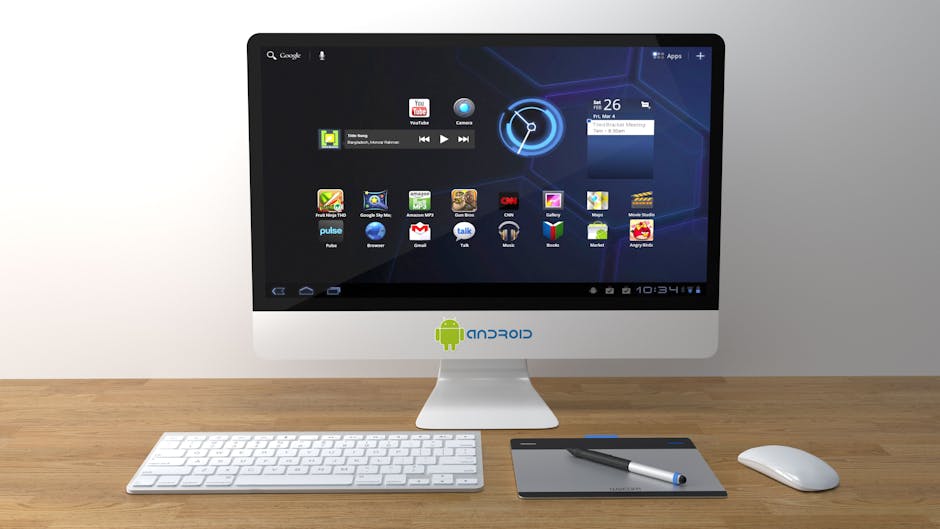
Once your team is talking, they need to start executing. When evaluating remote jobs tools for project management, startups need software that balances flexibility with structure. You want a tool that can scale from tracking simple to-do lists to managing complex software development sprints and marketing campaigns.
1. Notion: The All-in-One Workspace
Notion is a highly customizable workspace that blends note-taking, project management, and wiki-building into a single, clean interface. Instead of using separate tools for company documentation and task tracking, Notion allows startups to build custom databases that link project briefs directly to the tasks required to execute them.
Why Startups Love It: The “blank canvas” approach means Notion can be whatever your startup needs it to be. You can create onboarding hubs for new remote hires, content calendars for marketing, and lightweight CRM trackers for sales.
- ✅ Unmatched flexibility and customization
- ✅ Excellent collaborative document editing
- ✅ Powerful database linking and relational properties
- ❌ The open-ended nature can lead to messy, unstructured workspaces if not managed well
- ❌ Mobile app performance can sometimes lag with heavy databases
2. Linear: Purpose-Built for Product Teams
While Notion is great for general company operations, software engineering teams often require something more specialized. Linear is an issue-tracking tool built specifically for high-performance product and engineering teams. It is notoriously fast, keyboard-shortcut heavy, and heavily opinionated about how software development should be managed.
Why Startups Love It: Linear cuts out the bloated features of legacy systems like Jira. It forces a streamlined, agile workflow that helps remote development teams ship code faster without getting bogged down in endless configuration screens.
- ✅ Blazing fast desktop and web applications
- ✅ Deep integrations with GitHub, GitLab, and Sentry
- ✅ Automated sprint planning and issue closing
- ❌ Highly specialized for developers; not ideal for marketing or HR tracking
- ❌ Lacks advanced custom reporting for non-technical stakeholders
3. Asana: Visual and Intuitive Task Tracking
For operations, marketing, and design teams, Asana provides a visually pleasing, structured approach to project management. Teams can view projects as lists, kanban boards, timelines (Gantt charts), or calendars. It strikes a perfect balance between approachability for beginners and advanced features for project managers.
Why Startups Love It: Asana’s “Goals” and “Portfolios” features allow founders to connect high-level company OKRs directly to the granular tasks team members are working on daily, ensuring remote workers understand how their work impacts the bottom line.
- ✅ Intuitive, colorful, and easy-to-learn user interface
- ✅ Multiple project views to suit different working styles
- ✅ Strong automation rules to reduce manual repetitive work
- ❌ Advanced features are gated behind the expensive Premium and Business tiers
- ❌ Can feel too structured for teams used to freeform note-taking
Working long hours on complex projects at home requires an ergonomic setup to prevent burnout and physical strain. Upgrading your physical workspace is just as vital as upgrading your digital one.
🛒 Herman Miller Aeron ergonomic office chair
View on Amazon →
As an Amazon Associate, we earn from qualifying purchases.
Cloud Storage and Document Sharing

Remote teams generate an enormous amount of data, from pitch decks and financial models to design assets and code repositories. Relying on local hard drives or email attachments is a surefire way to lose critical information. Secure, collaborative cloud storage is a fundamental pillar of any distributed startup.
1. Google Workspace: The Collaboration King
Google Workspace (formerly G Suite) is the default starting point for roughly 90% of new startups. encompassing Gmail, Google Drive, Docs, Sheets, and Slides. The true power of Google Workspace lies in its real-time co-authoring capabilities. Multiple remote employees can edit a single document or spreadsheet simultaneously, watching each other’s cursors move in real-time.
Why Startups Love It: It requires almost zero training. Everyone knows how to use Google Docs. Furthermore, the built-in version control ensures that you can always revert to an older version of a document if a mistake is made.
- ✅ Industry-standard real-time collaboration
- ✅ Comprehensive suite covers email, storage, and office software
- ✅ Excellent mobile apps across all devices
- ❌ Google Drive file organization can become chaotic as the company grows
- ❌ Formatting in Docs/Slides is less robust than native desktop apps like Microsoft Office
2. Dropbox Business: Heavy-Duty File Management
While Google Drive is excellent for documents, startups that deal with massive files—such as video production agencies, 3D modeling startups, or high-res graphic design teams—often prefer Dropbox. Dropbox’s block-level sync technology means it only syncs the parts of a file that have changed, making uploads and downloads of large files significantly faster than competitors.
Why Startups Love It: Dropbox integrates seamlessly into the native file explorers of both macOS and Windows. For a remote worker, it feels like they are saving a file locally, but it is instantly backed up to the cloud and available to the entire team.
- ✅ Superior syncing speed for large, complex files
- ✅ Best-in-class desktop integration
- ✅ Built-in e-signature (HelloSign) and document analytics tools
- ❌ Lacks native collaborative document editing (relies on integrations)
- ❌ Can be a redundant expense if you already pay for Google Workspace
| Storage Tool | Best Use Case | Key Feature | Storage Limits (Entry Tier) |
|---|---|---|---|
| Google Workspace | Live co-authoring & email | Google Docs/Sheets integration | 30GB per user |
| Dropbox Business | Large file management | Block-level rapid syncing | 3TB shared |
Time Tracking and HR Management for Distributed Teams

Hiring across state lines or international borders introduces a massive web of tax, compliance, and payroll complexities. The most significant innovation in remote jobs tools over the last five years has been the rise of Employer of Record (EOR) services and borderless HR software. These platforms abstract the legal headaches of hiring globally, allowing founders to focus on building their product.
1. Deel: Global Payroll and Compliance
Deel is a powerhouse for remote startups. It acts as the Employer of Record, meaning Deel legally employs your remote workers in their home countries on your behalf. They handle local taxes, benefits, compliance, and payroll across more than 150 countries. Whether you are hiring a full-time engineer in Berlin or a freelance designer in Brazil, Deel manages the paperwork in minutes.
Why Startups Love It: It removes the need to establish legal business entities in every country you hire from. It also allows startups to offer competitive, localized health benefits to attract elite international talent.
- ✅ Seamless global payroll with localized currency payouts
- ✅ Guaranteed compliance with local labor laws
- ✅ Automated onboarding and document collection
- ❌ EOR fees per employee can be expensive for very early-stage bootstrapped startups
- ❌ Customer support response times can vary during peak payroll days
2. Gusto: Comprehensive HR for US-Based Teams
If your startup is fully remote but restricted to the United States, Gusto is widely considered the best HR, payroll, and benefits platform available. It is incredibly user-friendly, handling W-2s, 1099 contractors, health insurance administration, and state tax registration automatically.
Why Startups Love It: Gusto turns a daunting process—running payroll across multiple US states—into a simple, few-clicks process. Their modern interface is loved by employees, giving them a clear breakdown of their paystubs and benefits.
- ✅ Automated, multi-state US payroll
- ✅ Easy administration of medical, dental, and 401(k) plans
- ✅ Fun, highly approachable user interface
- ❌ Does not support international payroll (must pair with something like Deel or Remote)
- ❌ Time-tracking features are basic compared to dedicated apps
3. Toggl Track: Effortless Time Management
For startups that rely heavily on contractors or billable client hours (such as agencies or dev shops), accurate time tracking is essential. Toggl Track offers friction-free time tracking that integrates directly into your browser and other tools like Asana and Notion.
Why Startups Love It: It requires minimal effort from the user. With one-click timers and automated idle-detection, Toggl ensures contractors are accurately compensated without feeling like they are being micromanaged by intrusive monitoring software.
- ✅ Beautiful, easy-to-use interface across web, desktop, and mobile
- ✅ Robust reporting to analyze team profitability and capacity
- ✅ Generous free tier for small teams
- ❌ Requires manual discipline to start and stop timers
- ❌ Project budget tracking features are restricted to higher pricing tiers
When tracking time and maximizing focus hours, tactile productivity tools can serve as great physical reminders to stay on task, avoiding the digital distractions of working from home.
🛒 Hexagon productivity timer for desk
View on Amazon →
As an Amazon Associate, we earn from qualifying purchases.
Security and IT Management in a Remote Setting

When your startup’s sensitive data is accessed from home Wi-Fi networks and personal devices across the globe, the attack surface for cyber threats increases exponentially. Security cannot be an afterthought; it must be baked into your remote infrastructure from day one.
1. 1Password: Team Password Management
Remote teams share dozens of software logins, server credentials, and API keys. Sending passwords via Slack or email is a catastrophic security risk. 1Password for Business provides a secure, encrypted vault for your entire startup. You can create shared vaults for specific teams (e.g., Marketing gets the social media logins, Engineering gets the AWS keys) while employees maintain personal vaults for their individual accounts.
Why Startups Love It: The onboarding and offboarding process is vastly simplified. When a team member leaves the startup, you simply revoke their 1Password access, instantly securing all company accounts they had access to.
- ✅ Industry-leading end-to-end encryption
- ✅ Seamless browser extensions for quick auto-filling
- ✅ Watchtower feature alerts you to compromised passwords and breaches
- ❌ Account recovery for lost Master Passwords can be complex (by design, for security)
- ❌ Requires strict team enforcement to ensure no one bypasses the vault
2. Tailscale: Zero-Trust VPN Made Simple
Traditional corporate VPNs are notoriously difficult to set up, slow, and expensive. Tailscale is a modern alternative built on the WireGuard protocol. It creates a secure, zero-trust mesh network that connects your remote employees’ devices directly to your startup’s internal servers, databases, and staging environments, regardless of where they are in the world.
Why Startups Love It: Tailscale requires almost no IT expertise to deploy. You can install it on any device in minutes, and it authenticates securely using your existing Google Workspace or Microsoft 365 identities.
- ✅ Incredibly fast and lightweight compared to legacy VPNs
- ✅ Peer-to-peer mesh architecture reduces latency
- ✅ MagicDNS makes finding internal company servers effortless
- ❌ Managing complex access control lists (ACLs) requires some technical knowledge
- ❌ Support is largely self-serve for lower pricing tiers
Summary and Conclusion
Building a successful distributed startup requires more than just hiring great talent; it requires providing them with the infrastructure they need to thrive. The landscape of remote jobs tools is vast and continually evolving, but the core objective remains the same: removing friction from collaboration, operations, and security.
To summarize, a robust remote startup stack should include:
- Communication: Slack for instant messaging, Zoom for high-stakes video calls, and Loom for asynchronous updates.
- Project Management: Notion for company wikis, Linear for agile software development, and Asana for operational task tracking.
- Storage: Google Workspace for real-time document collaboration and Dropbox for heavy file transfers.
- HR & Payroll: Deel for global compliance, Gusto for US-centric payroll, and Toggl Track for managing contractor hours.
- Security: 1Password for securing shared credentials and Tailscale for safe internal network access.
Ultimately, curating your ultimate stack of remote jobs tools takes time and iteration. Do not be afraid to trial different software to see what resonates with your team’s unique workflow. However, remember that tools are just enablers. The true key to a successful remote startup lies in building a culture of trust, clear expectations, and open communication. Equip your team with the right tools, define your operational rhythms, and watch your startup scale without boundaries.