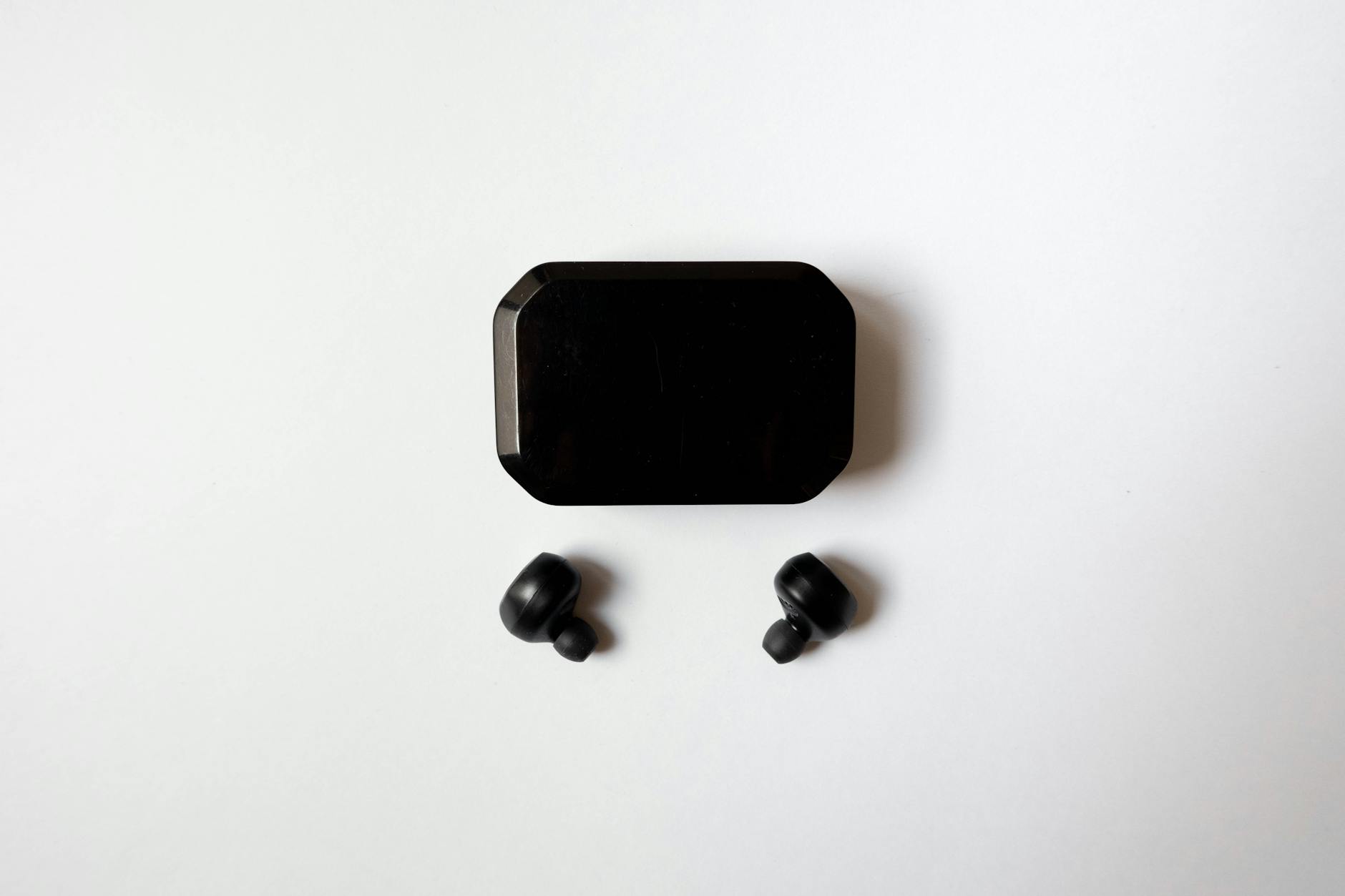
Best Wireless Earbuds for Small Ear Canals in 2024
Are you tired of that aching, stretching sensation after wearing audio gear for just a few minutes? If you have smaller-than-average ears, the struggle is incredibly real. Most manufacturers design their audio products for the “average” consumer, leaving those of us with petite features dealing with devices that pop out, cause headaches, or create painful pressure points.
Finding the best wireless earbuds for small ear canals isn’t just about chasing high-fidelity sound quality or the longest battery life; it is fundamentally about avoiding physical pain and achieving a secure, comfortable seal. A proper fit is essential not only for comfort but also for ensuring that Active Noise Cancellation (ANC) and bass frequencies work the way they were intended to.
In this comprehensive guide, we are diving deep into the world of compact, ergonomically designed audio gear. We have meticulously researched, tested, and analyzed the top contenders on the market to help you find the perfect match for your ears. From premium flagship models to budget-friendly lifesavers, we will cover exactly what makes an earbud suitable for petite ears, how to wear them properly, and which ones actually deliver on their promises.
Table of Contents
Why Standard Earbuds Hurt Small Ears

To truly understand why finding the right audio device is so difficult, we need to look at the anatomy of the human ear. The outer ear consists of several ridges and depressions, but the two most important areas for earbud wearers are the concha (the bowl-shaped part of the ear just outside the canal) and the external auditory meatus (the ear canal itself).
Standard earbuds are typically designed with an acoustic nozzle that measures around 5.5mm to 6mm in diameter. For someone with small ear canals, trying to fit a 6mm rigid plastic tube—wrapped in an additional layer of silicone—into a canal that might only comfortably accommodate 4mm is a recipe for disaster. This mismatch leads to “stretching” of the sensitive skin lining the canal, which has very little fat to cushion against hard plastics.
Furthermore, standard earbuds often feature bulky external housings designed to house large batteries and complex ANC microphones. When this bulky housing rests inside a small concha bowl, it presses against the tragus and anti-tragus (the small cartilage bumps near the ear opening). Over the course of 30 to 60 minutes, this gentle pressure multiplies, resulting in severe cartilage ache, tension headaches, and the inevitable “earbud fatigue.”
This is exactly why you cannot just take a massive, bulky earbud, slap an “Extra Small” silicone tip on it, and call it a day. If the plastic nozzle itself is too wide, or the external housing is too heavy, the device will still cause pain or continuously fall out as your ear naturally tries to expel the foreign object. The best wireless earbuds for small ear canals address both the internal nozzle diameter and the external housing footprint.
Top 5 Best Wireless Earbuds for Small Ear Canals

After evaluating dozens of models based on weight, nozzle diameter, housing ergonomics, and included tip sizes, we have narrowed down the market to the absolute best options available in 2024. Below is a quick comparison table to help you spot the differences at a glance.
| Model | Weight (per bud) | Smallest Tip Included | Design Style | Best For |
|---|---|---|---|---|
| Sony LinkBuds S | 4.8g | SS (Super Small) | Stemless / Ergonomic | Overall Comfort |
| Apple AirPods Pro 2 | 5.3g | XS (Extra Small) | Stemmed | Apple Users & ANC |
| Samsung Galaxy Buds 2 Pro | 5.5g | Small | Stemless / Aerodynamic | Android Users |
| Jabra Elite 8 Active | 5.0g | Small (Tapered) | Stemless / ShakeGrip | Sports & Workouts |
| EarFun Free Pro 3 | 4.5g | XS | Ultra-compact | Budget Shoppers |
1. Sony LinkBuds S: The Overall Champion
When it comes to the ultimate blend of lightweight design and premium features, the Sony LinkBuds S takes the crown. Sony specifically engineered these to be worn “never off,” meaning they are designed for all-day comfort. Weighing in at a mere 4.8 grams per bud, they are incredibly light. More importantly, the physical footprint of the earbud housing is dramatically smaller than Sony’s flagship WF-1000XM4 and XM5 models.
What makes the LinkBuds S a lifesaver for petite ears is the inclusion of the “SS” (Super Small) silicone ear tips right in the box, alongside a very narrow acoustic nozzle. They sit flush against the ear, avoiding the painful cartilage stretching common with bulkier designs. Despite their tiny size, they deliver rich, customizable audio through Sony’s Headphones Connect app and feature stellar Active Noise Cancellation that rivals much larger models.
If you have struggled with “earbud fatigue” after 30 minutes of listening, the LinkBuds S will feel like an absolute revelation. They gently rest in the concha rather than aggressively wedging themselves into your ear canal.
🛒 Sony LinkBuds S Truly Wireless Noise Canceling Earbuds
View on Amazon →
As an Amazon Associate, we earn from qualifying purchases.
- ✅ Pros: Extremely lightweight (4.8g), includes Super Small (SS) tips, excellent ANC and transparency mode, flush fit ideal for side-sleepers.
- ❌ Cons: Battery life is average (about 6 hours with ANC on), no wireless charging for the case.
2. Apple AirPods Pro (2nd Generation): The Apple Ecosystem Pick
Apple learned a vital lesson from the first generation of AirPods Pro: one size does not fit all, and neither do three. With the release of the AirPods Pro 2, Apple introduced an Extra Small (XS) silicone ear tip, expanding the range to four distinct sizes. This addition was a massive win for users with narrow ear canals.
The beauty of the AirPods Pro 2 design lies in its unique oval-shaped nozzle. Unlike traditional circular nozzles that force the ear canal to stretch uniformly, the oval shape mimics the natural anatomy of the human ear canal, leading to significantly less pressure. Furthermore, Apple utilizes an internal ventilation system that equalizes pressure on both sides of the earbud. If you suffer from the “underwater” or “plugged” feeling that traditional in-ear monitors cause, this venting system completely eliminates that sensation.
Combined with arguably the best Transparency Mode on the market and top-tier noise cancellation, these are a no-brainer if you own an iPhone. The short stem design also helps balance the weight, preventing the earbud from feeling top-heavy and falling out.
🛒 Apple AirPods Pro 2nd Generation Wireless Earbuds with USB-C
View on Amazon →
As an Amazon Associate, we earn from qualifying purchases.
- ✅ Pros: New XS tips fit perfectly, oval nozzle reduces pressure, unparalleled pressure-equalization vents, best-in-class transparency mode.
- ❌ Cons: Premium price tag, full features only available to Apple users.
3. Samsung Galaxy Buds 2 Pro: The Android Flagship
Samsung completely overhauled their design philosophy with the Galaxy Buds 2 Pro. Realizing that the original Buds Pro were too bulky for many users, Samsung reduced the physical volume of the Buds 2 Pro by a staggering 15%. The result is an aerodynamic, pill-shaped device that nestles perfectly into the ear’s concha without protruding.
Because they are stemless and highly contoured, they distribute their 5.5-gram weight evenly across the outer ear rather than relying solely on the ear canal for support. This reduces the strain on the sensitive inner skin of the canal. The matte finish also helps provide a bit of grip against the skin, keeping them securely in place during movement.
Sound quality is spectacular, offering 24-bit Hi-Fi audio when paired with a compatible Samsung Galaxy device. The active noise cancellation is highly effective, and a built-in voice detect feature automatically lowers your music and activates ambient mode when you start speaking.
- ✅ Pros: 15% smaller than predecessors, highly ergonomic contouring, fantastic 24-bit audio quality, IPX7 water resistance.
- ❌ Cons: The included “Small” tip might still be slightly large for the most extreme micro-canals; best features are locked to Samsung phones.
4. Jabra Elite 8 Active: The Workout Warrior
If you are looking for the best wireless earbuds for small ear canals specifically for running, gym sessions, or high-intensity workouts, the Jabra Elite 8 Active is unmatched. Jabra is renowned for having an incredibly deep database of ear scans (over 62,000 ears mapped), which they use to meticulously craft the shape of their earbuds.
The Elite 8 Active features a highly tapered nozzle that inserts easily into narrow canals without causing abrasion. What sets them apart, however, is Jabra’s proprietary ShakeGrip technology. The entire housing is coated in a liquid silicone rubber compound. This material holds onto the ear securely, even when covered in sweat, without the need for cumbersome ear “wings” or “hooks” that can cause their own brand of cartilage pain.
They are virtually indestructible, boasting an IP68 dust and waterproof rating, meaning they can be completely submerged. Despite this ruggedness, they remain remarkably compact and lightweight.
- ✅ Pros: ShakeGrip coating prevents slipping without using painful wings, extreme durability (IP68), ergonomic tapered nozzle.
- ❌ Cons: ANC is good but not quite up to the level of Sony or Apple, bass response is heavy out-of-the-box (requires app EQ).
5. EarFun Free Pro 3: The Budget Lifesaver
You do not need to spend over $200 to find relief. The EarFun Free Pro 3 is an absolute revelation for budget-conscious consumers with small ears. These earbuds are impossibly tiny. The stemless design ensures they sit entirely flush within the ear, making them an excellent choice for wearing under winter beanies or motorcycle helmets without causing pressure spikes.
Remarkably for their price bracket, EarFun includes five different sizes of silicone tips (including XS) and three different sizes of soft ear hooks. This allows for a highly modular, customizable fit that you rarely see outside of premium models. Powered by Qualcomm’s aptX Adaptive audio, they deliver a punchy, enjoyable sound signature.
While the ANC won’t block out a jet engine as effectively as the top-tier models, the passive noise isolation achieved by getting a perfect fit in a small ear canal more than makes up for it. At their price point, they offer unprecedented value and comfort.
- ✅ Pros: Very affordable, incredibly small and lightweight, comes with XS tips and modular ear hooks, great passive isolation.
- ❌ Cons: ANC is merely average, plastic casing feels a bit cheap compared to premium competitors.
The Ultimate Buying Guide: What to Look For

If you are venturing out to find the perfect audio gear on your own, it is crucial to know exactly what specifications and design choices dictate comfort for petite ears. Here is the ultimate buyer’s checklist to ensure you don’t end up with another painful piece of tech sitting unused in a drawer.
1. Nozzle Diameter and Length
This is the single most critical factor. The nozzle (the hard plastic tube where the sound comes out and the silicone tip attaches) dictates the absolute minimum size the earbud can be. Even if you put the smallest, softest silicone tip on the market onto an earbud, if the underlying plastic nozzle is 6.5mm wide, it will never fit comfortably into a 5mm ear canal. Look for models with oval nozzles (like Apple) or highly tapered, narrow nozzles (like Jabra and Sony).
2. Overall Weight and Balance
Gravity is the enemy of small ears. A heavy earbud (anything over 6.5 grams) requires more surface area contact and a tighter wedge in the ear canal to stay securely in place. By choosing lightweight models (under 5.5 grams), the earbud can rest gently in the ear rather than needing to be aggressively jammed in. Furthermore, stemmed designs (like AirPods) actually help lower the center of gravity, preventing the bud from feeling top-heavy and toppling out of shallow ears.
3. Housing Footprint and Concha Fit
Small ear canals are almost always paired with small outer ears (the concha bowl). If the main body of the earbud is too bulky, it will press outward against your ear cartilage. Over time, this causes dull, throbbing pain. Look for “low profile” or “flush fit” designs that do not protrude past the tragus.
4. Included Tip Sizes
Never assume standard S, M, L tips will work. You should actively look for brands that explicitly advertise “XS” (Extra Small) or “SS” (Super Small) tips included in the box. This saves you the immediate hassle and extra cost of buying third-party tips.
Silicone vs. Memory Foam Tips: Which is Better?
Even if you buy the perfect earbuds, you might find that standard silicone tips just don’t offer the comfort or seal you desire. This is where the great debate between silicone and memory foam comes into play. Upgrading your ear tips is the cheapest, most effective way to transform painful audio gear into a customized, comfortable experience.
| Feature | Silicone Tips | Memory Foam Tips |
|---|---|---|
| Comfort | Good, but can cause pressure points. | Excellent. Molds exactly to ear shape. |
| Durability | High. Lasts for years, easy to wash. | Low. Degrades over 3-6 months. |
| Noise Isolation | Average. Relies on a tight physical seal. | Superior. Expands to block all gaps. |
| Best For | Workouts, daily casual use. | Tiny ear canals, studying, commuting. |
For individuals with particularly tricky or micro-sized ear canals, memory foam is often the holy grail. Brands like Comply manufacture specialized memory foam tips designed specifically for popular models like AirPods, Sony, and Samsung. To use them, you pinch the foam to compress it, insert the earbud, and hold it in place for 10 seconds. The heat from your body causes the foam to expand, creating a custom-molded seal that applies zero outward pressure on the ear canal walls. It completely eliminates ear fatigue while drastically improving bass response and ANC.
🛒 Comply TrueGrip Pro Memory Foam Earbud Tips
View on Amazon →
As an Amazon Associate, we earn from qualifying purchases.
How to Properly Fit Earbuds in Small Ears

Having the best wireless earbuds for small ear canals means nothing if you are inserting them incorrectly. Many people experience pain simply because they are using the wrong technique, forcing the earbud at an unnatural angle.
Follow these steps to ensure a painless, secure fit:
- Start Small: Before you even try the earbuds on, remove the default medium tips that come pre-installed. Swap them immediately for the smallest size available in the box.
- The Ear Pull Technique: Reach your opposite hand over your head and gently pull the top of your ear (the pinna) slightly up and back. This straightens out the ear canal, making it vastly easier to insert the nozzle without scraping the sides of the canal.
- The Twist and Lock: Do not just push the earbud straight in. Insert it gently, then twist it backwards (towards the back of your head) by about 30 degrees. This allows the housing of the earbud to “lock” underneath the ridges of your concha, using the natural folds of your ear for support rather than relying on canal pressure.
- Check the Seal: Most modern companion apps (like the Apple or Sony apps) feature an “Ear Tip Fit Test.” Run this test. If it says you have a poor seal, do not immediately jump to a larger tip—try adjusting the angle first.
If you feel a sharp, localized pain within the first 5 minutes of wearing them, the underlying hard plastic nozzle is likely pressing against your cartilage. You need to adjust the angle immediately, as this pain will only compound over time.
Frequently Asked Questions (FAQs)
Can I just use kids’ earbuds?
While kids’ earbuds are indeed smaller, they are generally not recommended for adults seeking high-quality audio. Children’s earbuds are usually volume-limited (capped at 85dB) to protect developing hearing. Additionally, they often lack premium features like Active Noise Cancellation, high-fidelity audio codecs, and long battery life. It is much better to buy premium adult earbuds that feature ergonomic, compact designs.
Do custom molded ear tips work for small ears?
Yes, exceptionally well. If you have tried everything and still experience pain, visiting an audiologist to get custom-molded silicone tips is the ultimate solution. They will take a physical mold of your exact ear topography and create a sleeve that fits over your true wireless earbuds. While expensive (often $150+), it guarantees a perfect, zero-pressure fit.
Why do my earbuds keep falling out when I smile or talk?
This is a classic sign that the earbud is either too large for your canal or it is relying too heavily on outward pressure to stay in. When you smile, chew, or talk, the shape of your ear canal shifts slightly. If an earbud is wedged in too tightly, this movement pushes it out like a slippery watermelon seed. Switching to a smaller tip, or utilizing a memory foam tip that adapts to movement, usually solves this “backing out” issue.
Final Verdict
Struggling with painful audio gear is a frustrating experience, but it doesn’t have to be your permanent reality. The audio industry is finally waking up to the fact that ergonomics matter just as much as acoustics. By prioritizing low-weight designs, narrow acoustic nozzles, and smaller silicone tip options, you can enjoy music, podcasts, and phone calls without the dreaded earache.
If you want the absolute best all-around experience, the Sony LinkBuds S stands out as the premier choice, offering a flush fit and incredibly light footprint alongside top-tier noise cancellation. Apple users will find unparalleled comfort in the AirPods Pro 2 thanks to the new XS tips and pressure-relieving vents. Meanwhile, budget-conscious buyers can find massive relief with the ultra-compact EarFun Free Pro 3.
Remember, finding the best wireless earbuds for small ear canals is a personal journey. Don’t be afraid to experiment with different tip materials like memory foam, and always use the “twist and lock” method to ensure you’re getting a secure, pain-free seal. Your ears will thank you!