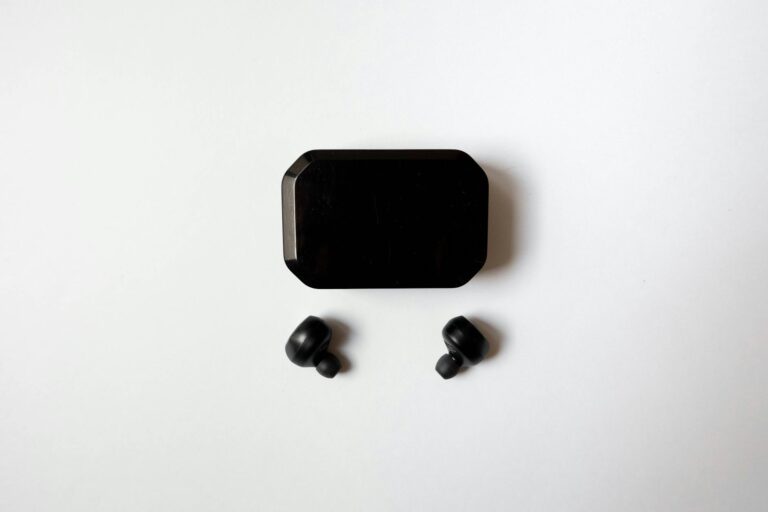
The Best Wireless Earbuds Under $100 in 2024
Gone are the days when buying budget audio gear meant sacrificing sound quality, battery life, and essential features. Thanks to rapid advancements in Bluetooth technology and the miniaturization of audio components, the modern true wireless stereo (TWS) market is overflowing with high-quality options that won’t break the bank. If you are on the hunt for the best wireless earbuds under $100, you have arrived at the definitive guide. We have rigorously tested, analyzed, and compared the top contenders to help you find the perfect pair for your ears and your wallet.

Why You Don’t Need to Spend Over $100 for Great Audio
Just five years ago, if you wanted Active Noise Cancellation (ANC), ambient awareness modes, or a battery that lasted longer than a standard commute, you were looking at a price tag well north of $200. Today, the landscape has entirely shifted. The “trickle-down” effect of technology means that the flagship features of yesterday are the baseline standards of today.
Audio chipset manufacturers like Qualcomm, Airoha, and MediaTek have developed highly efficient, low-cost system-on-chips (SoCs) that handle everything from Bluetooth 5.3 connectivity to advanced digital signal processing (DSP). This allows budget-friendly brands to offer exceptional sound profiles that rival premium competitors. Furthermore, consumer demand has driven massive improvements in battery density, meaning that even compact, affordable earbuds can easily deliver 6 to 8 hours of standalone playtime.
Top Picks: The Best Wireless Earbuds Under $100
After evaluating dozens of models for soundstage, frequency response, comfort, call quality, and everyday usability, we have narrowed down our carefully curated list of the best wireless earbuds under $100. Here are the standout performers that deliver unbeatable value.
1. EarFun Air Pro 3 (Best Overall)
The EarFun Air Pro 3 is nothing short of a revelation in the budget audio space. Packing Qualcomm’s latest aptX Adaptive codec and Bluetooth 5.3, these stem-style earbuds deliver a warm, punchy sound signature that breathes life into pop, hip-hop, and EDM tracks. The QuietSmart 2.0 ANC technology is shockingly effective, capable of reducing ambient noise by up to 43dB, which easily drowns out the hum of an airplane cabin or an office AC unit.
- ✅ Pros: Incredible ANC for the price, multipoint connection, massive 45-hour total battery life, customizable EQ via the companion app.
- ❌ Cons: The bass can be slightly overpowering out of the box (requires tweaking in the app), and the case feels slightly plasticky.
2. Soundcore Space A40 (Best ANC & Comfort)
Anker’s audio brand, Soundcore, has consistently dominated the budget tier, but the Space A40 is a masterpiece of compact design. These tiny, pebble-shaped earbuds sit flush in the ear, making them incredibly comfortable for long listening sessions and even side-sleeping. They support LDAC for high-res audio streaming and feature an adaptive noise-canceling system that automatically adjusts to your environment.
- ✅ Pros: Class-leading ANC, 50-hour total playtime with the case, extremely lightweight and comfortable, high-res audio support.
- ❌ Cons: Call quality in windy environments can struggle, touch controls can be overly sensitive.

3. Sony WF-C500 (Best Sound Quality)
If pure audio fidelity is your primary concern and you don’t mind skipping ANC, the Sony WF-C500 is your best bet. Sony brings its legendary audio engineering to the budget space, offering DSEE (Digital Sound Enhancement Engine) technology, which restores high-frequency sounds lost in audio compression. The result is a vibrant, clear, and expansive soundstage that flatters acoustic, classical, and vocal-heavy tracks.
- ✅ Pros: Excellent, well-balanced sound out of the box; physical buttons instead of touch controls (prevents accidental taps); fantastic Sony Headphones Connect app support.
- ❌ Cons: No Active Noise Cancellation; case lid feels a bit flimsy.
4. Jabra Elite 4 (Best for Calls and Work)
For the working professional who is constantly jumping between Zoom meetings and Spotify playlists, the Jabra Elite 4 is an absolute workhorse. Jabra is renowned for its microphone technology, and the 4-mic call technology on these earbuds ensures your voice comes through with crystal clarity, even in noisy coffee shops. They also feature a very sleek, ergonomic Danish design that fits securely without causing ear fatigue.
- ✅ Pros: Top-tier microphone quality for calls, Bluetooth multipoint, IP55 dust and water resistance, Spotify Tap playback.
- ❌ Cons: ANC is average compared to Soundcore; no AAC codec (mainly uses aptX and SBC, which slightly impacts Apple users).
5. JLab Epic Air Sport ANC (Best for Workouts)
Finding earbuds that stay in your ears during intense cardio or weightlifting can be tricky. The JLab Epic Air Sport ANC solves this with a secure ear-hook design. Boasting an IP66 sweat and dirt resistance rating, these are built to survive your most grueling workouts. They also feature a “Be Aware” mode that lets in outside noise, keeping you safe when running near traffic.
- ✅ Pros: Rock-solid fit with ear hooks, incredibly durable (IP66), massive 70+ hour battery life with the case, built-in USB charging cable on the case.
- ❌ Cons: The case is quite bulky; sound quality is decent but lacks the nuance of Sony or Soundcore.
| Model | Best For | ANC Support | Battery Life (Total) | IP Rating |
|---|---|---|---|---|
| EarFun Air Pro 3 | Overall Value | Yes (43dB) | 45 Hours | IPX5 |
| Soundcore Space A40 | ANC & Comfort | Yes (Adaptive) | 50 Hours | IPX4 |
| Sony WF-C500 | Sound Quality | No (Passive Only) | 20 Hours | IPX4 |
| Jabra Elite 4 | Calls & Work | Yes | 22 Hours | IP55 |
| JLab Epic Air Sport | Gym & Running | Yes | 70+ Hours | IP66 |
Key Features to Look For in Budget Earbuds
Navigating the spec sheets of audio equipment can feel like learning a new language. When you are looking for the best bang for your buck, you need to know which features translate to real-world performance and which are just marketing fluff. Here is a comprehensive breakdown of what you should prioritize.
- Active Noise Cancellation (ANC) vs. Passive Isolation: Passive isolation is simply the physical blocking of sound by the silicone ear tip sealing your ear canal. ANC uses built-in microphones to listen to external noise and plays an inverted sound wave to cancel it out. Modern budget earbuds should offer at least 30-40dB of active noise cancellation.
- Bluetooth Codecs: A codec determines how audio data is transmitted from your phone to your earbuds.
- SBC: The universal standard. Good, but heavily compressed.
- AAC: The standard for Apple devices. Excellent optimization for iPhones.
- aptX / LDAC: High-res codecs typically found on Android devices, offering higher bitrates and lower latency. If you use Android, look for these!
- Companion App Support: A major differentiator in the sub-$100 market is software. Brands like Soundcore and EarFun offer robust apps that allow you to remap touch controls, update firmware, and, most importantly, tweak the EQ (equalizer). Being able to adjust the bass, mids, and treble can make a cheap pair of earbuds sound incredibly premium.
- Multipoint Connectivity: This feature allows your earbuds to connect to two devices simultaneously—like your laptop and your smartphone. You can watch a YouTube video on your computer, and when a phone call comes in, the earbuds seamlessly switch to your phone. Once a luxury feature, it is now an essential tool for productivity.
- IP Rating (Durability): The Ingress Protection (IP) rating tells you how well the earbuds resist dust and water. IPX4 is the minimum you want; it protects against splashing water from any direction, making them safe for light sweat and rain. If you are a heavy sweater or outdoor runner, aim for IP55 or higher.
| Bluetooth Codec | Bitrate (Max) | Best Device Ecosystem |
|---|---|---|
| SBC | 328 kbps | Universal (All Devices) |
| AAC | 256 kbps (Highly Optimized) | Apple iOS / Mac |
| aptX Adaptive | 276 – 420 kbps | Android / Windows |
| LDAC | 990 kbps | Android (High-Res Audio) |
How to Prolong the Lifespan of Your Wireless Earbuds
Even though you are saving money by purchasing budget-friendly gear, you still want your investment to last. True wireless earbuds are small, delicate, and subjected to body oils, earwax, and environmental debris daily. Furthermore, lithium-ion batteries degrade over time. By following a few simple maintenance routines, you can extend the life of your earbuds by years.
- Clean the Eartips Regularly: Remove the silicone or foam ear tips once a week. Wash silicone tips in warm soapy water, rinse them, and let them air dry completely before reattaching. If you use memory foam tips, wipe them gently with a damp cloth (do not soak them).
- Brush the Mesh Grills: Earwax buildup on the speaker mesh is the number one cause of volume imbalances (where one earbud sounds quieter than the other). Use a soft-bristled toothbrush or a specialized cleaning pen to gently sweep debris away from the mesh. Hold the earbud with the mesh facing downward so gravity pulls the debris out, rather than pushing it deeper.
- Clean the Charging Contacts: If your earbuds are not charging properly in the case, dirt or sweat on the metal contact pins is likely the culprit. Dip a cotton swab in high-percentage isopropyl alcohol (70% or higher) and gently wipe the gold pins on both the earbuds and inside the charging case.
- Practice Good Battery Hygiene: Avoid letting your earbuds and case drain completely to 0%. Lithium-ion batteries prefer to be kept between 20% and 80% charge. Additionally, do not leave your earbuds in a hot car; extreme temperatures severely degrade battery health and can warp the internal adhesive.
- Protect the Case: The charging case is the lifeblood of your earbuds. Keep it away from sand and lint-heavy pockets. If the charging port gets clogged with pocket lint, gently pick it out with a wooden toothpick (never use metal, as it can damage the pins or cause a short).

Frequently Asked Questions (FAQs)
Choosing the right pair of audio buds can bring up a lot of questions. Here are the answers to some of the most common inquiries we receive about affordable audio gear.
- Are budget earbuds good for gaming?
Most standard Bluetooth earbuds have a slight audio delay (latency) of around 200-300 milliseconds. This is unnoticeable when watching videos because phones automatically sync the video to the audio. However, in fast-paced gaming (like shooters), this delay is obvious. If you game, look for earbuds like the EarFun Air Pro 3 that feature a dedicated “Game Mode” or “Low Latency Mode,” which drops the delay to around 50ms. - What are the best wireless earbuds under $100 for small ears?
Finding a comfortable fit can be tough. The Soundcore Space A40 is our top recommendation for smaller ears because of its incredibly compact, flush design and the inclusion of four different ear tip sizes. They do not have a long stem that hangs out, reducing the risk of them getting snagged. - Can I use only one earbud at a time?
Yes! Almost all modern TWS earbuds support “mono mode.” You can leave one earbud in the charging case while using the other. This is great for office environments where you need to keep one ear open for colleagues, and it effectively doubles your battery life if you swap them out. - Do I need spatial audio?
Spatial audio (or 3D audio) is a fun feature that simulates surround sound, but it is not essential for a great listening experience. In the sub-$100 category, it is better to prioritize strong basic stereo sound, good ANC, and battery life over spatial audio gimmicks.
Conclusion
The barrier to entry for exceptional audio has never been lower. Whether you are commuting, hitting the gym, or taking endless video calls, upgrading to the best wireless earbuds under $100 is a smart choice that delivers daily joy without causing financial stress. To summarize our top findings:
- Choose the EarFun Air Pro 3 if you want the absolute best all-around feature set, including top-tier ANC and the latest Bluetooth 5.3 technology.
- Go with the Soundcore Space A40 if comfort and high-res LDAC audio are your main priorities.
- Pick the Sony WF-C500 for unmatched, pure sound quality from a legacy audio brand.
- Opt for the Jabra Elite 4 if you need professional-grade microphones for work and study.
- Grab the JLab Epic Air Sport ANC if you need rugged durability and a secure fit for extreme workouts.
We hope this guide has helped you navigate the crowded market of budget audio. Remember to consider what matters most to your daily routine—whether it is battery life, noise cancellation, or fit—and you are guaranteed to find a pair that feels tailor-made for you. Happy listening!
🛒 Related Products
best wireless earbuds under $100 on Amazon
Amazon.com
As an Amazon Associate, we earn from qualifying purchases.